Create a QR Code Shirt Online – Free QR Code Generator for T-Shirts
Create a custom QR code shirt online using a free QR code generator. Design scannable QR codes for T-shirts, hoodies, and merchandise with Toolerd – fast, free, and no watermark.
Create a QR Code Shirt Online – Free QR Code Generator
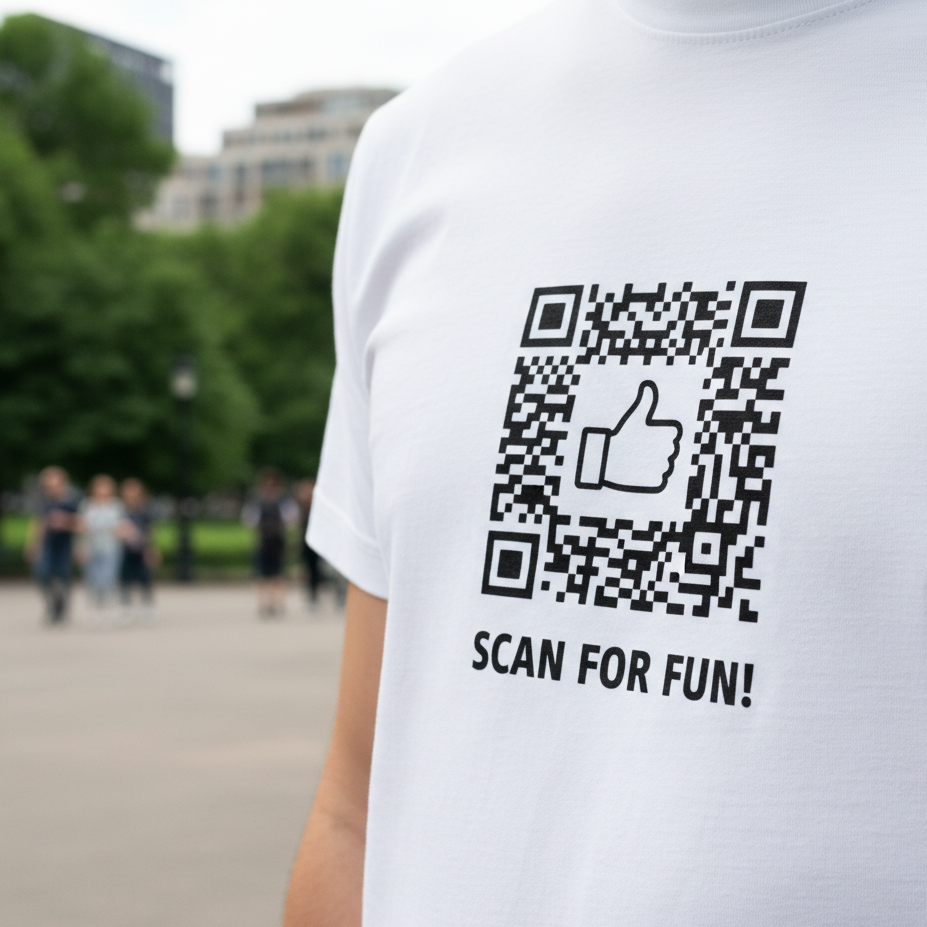
QR code shirts are a modern and creative way to share digital content through wearable designs. With a free online QR code generator, you can create a scannable QR code that links to any website, video, message, or social profile and print it on T-shirts, hoodies, or other merchandise.
This guide explains how to create a custom QR code shirt using an online tool. Any names, logos, or public figures (for example, political figures or celebrities) may be used only as user-selected examples and are not affiliated with this website.
What Is a QR Code Shirt?
A QR code shirt features a printed QR code that can be scanned using a smartphone camera. Once scanned, the QR code opens a destination chosen by the creator, such as:
- A website or blog
- A YouTube or video link
- A social media profile
- A personal message or landing page
- Event or promotional information
QR code shirts are commonly used for marketing, events, personalization, and creative expression.
How to Create a Custom QR Code for a Shirt
Creating a QR code for a shirt is simple and takes only a few steps:
-
Open the QR Code Generator
👉 https://www.toolerd.com/tools/other-utilities/qr-code -
Enter your link, text, or message
-
Customize the QR code color or style (optional)
-
Download the high-resolution QR code image
-
Print it on T-shirts, hoodies, posters, or merchandise
Common Uses for QR Code Shirts
QR code shirts are popular because they are interactive and flexible. Common uses include:
- Event promotions and meetups
- Brand or business marketing
- Personal fashion designs
- Gifts or novelty apparel
- Social media engagement
Unlike printed text, QR codes allow you to update or change the destination without changing the design.
Printing Tips for Best QR Code Results
To ensure your QR code works perfectly after printing:
- Use high-contrast colors (dark code on light background)
- Keep the QR code at least 2 × 2 inches in size
- Test the QR code before printing
- Use high-quality printing materials
Important Disclaimer
This website is not affiliated with, endorsed by, or connected to any political party, public figure, or organization.
All QR codes generated using this tool are fully user-controlled. Users are responsible for how their QR codes are used and where they link.
Frequently Asked Questions
Is the QR code generator free?
Yes. Toolerd allows you to generate and download QR codes completely free with no watermark.
Can I link the QR code to any website?
Yes. You can link to any valid URL, text, or online destination.
Will QR codes still scan after printing?
Yes, as long as they are printed clearly and at a readable size.
Can I customize the QR code design?
Yes. You can adjust colors and styling before downloading.
Final Thoughts
QR code shirts offer a simple and interactive way to connect physical designs with digital content. With Toolerd’s free QR code generator, you can create high-quality, printable QR codes for apparel, posters, and merchandise in seconds.
Create your custom QR code today and turn any shirt into a scannable experience.