How to Create a Free QR Code That Doesn’t Expire
Learn how to create a free QR code that doesn’t expire. This guide explains permanent QR codes, their uses, and how to generate them online safely.
How to Create a Free QR Code That Doesn’t Expire
QR codes are widely used for sharing links, contact details, and digital information quickly. If you’re looking to create a free QR code that doesn’t expire, it’s important to understand how permanent (static) QR codes work and how to generate them correctly.
This guide explains what non-expiring QR codes are, where they are useful, and how you can create one using an online QR code generator.
What Is a QR Code That Doesn’t Expire?
A QR code that doesn’t expire is typically a static QR code. This means:
- The data is embedded directly into the code
- No external tracking or redirection is required
- The QR code remains usable as long as the content exists
Static QR codes are commonly used for long-term purposes such as printed materials and product packaging.
When Should You Use a Permanent QR Code?
Permanent QR codes are useful in many situations, including:
- Business cards and resumes
- Product packaging and labels
- Event invitations or posters
- Website or portfolio links
- Wi-Fi access sharing
Because they do not rely on external services, they are suitable for long-lasting use.
How to Create a QR Code Online (Step-by-Step)
Step 1: Open an Online QR Code Generator
Visit an online QR code generator such as:
👉 https://www.toolerd.com/tools/other-utilities/qr-code
The tool runs directly in your browser and does not require installation.
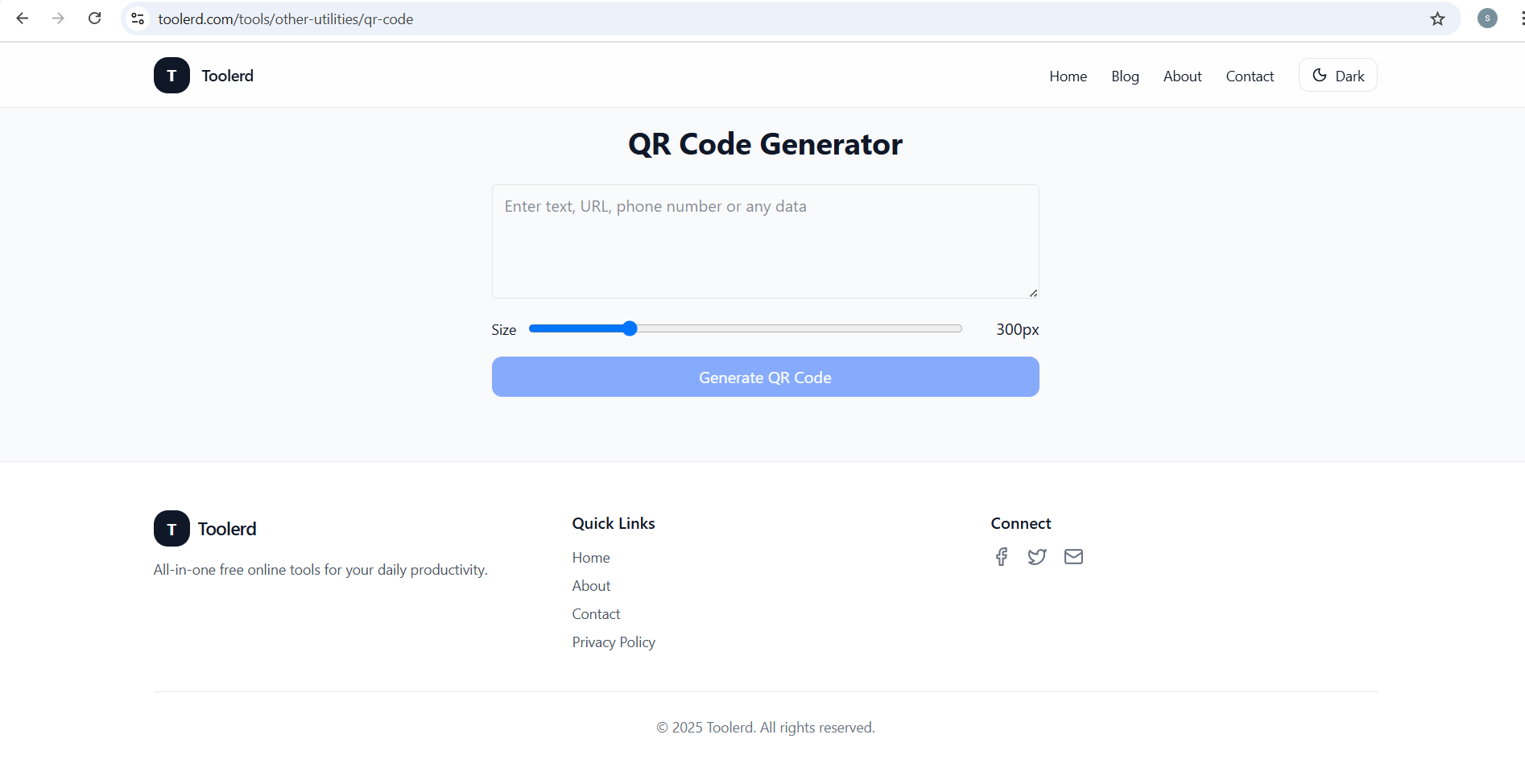
Step 2: Enter Your Information
Add the content you want to encode in the QR code. Common options include:
- Website URLs
- Plain text
- Contact details
- Social media links
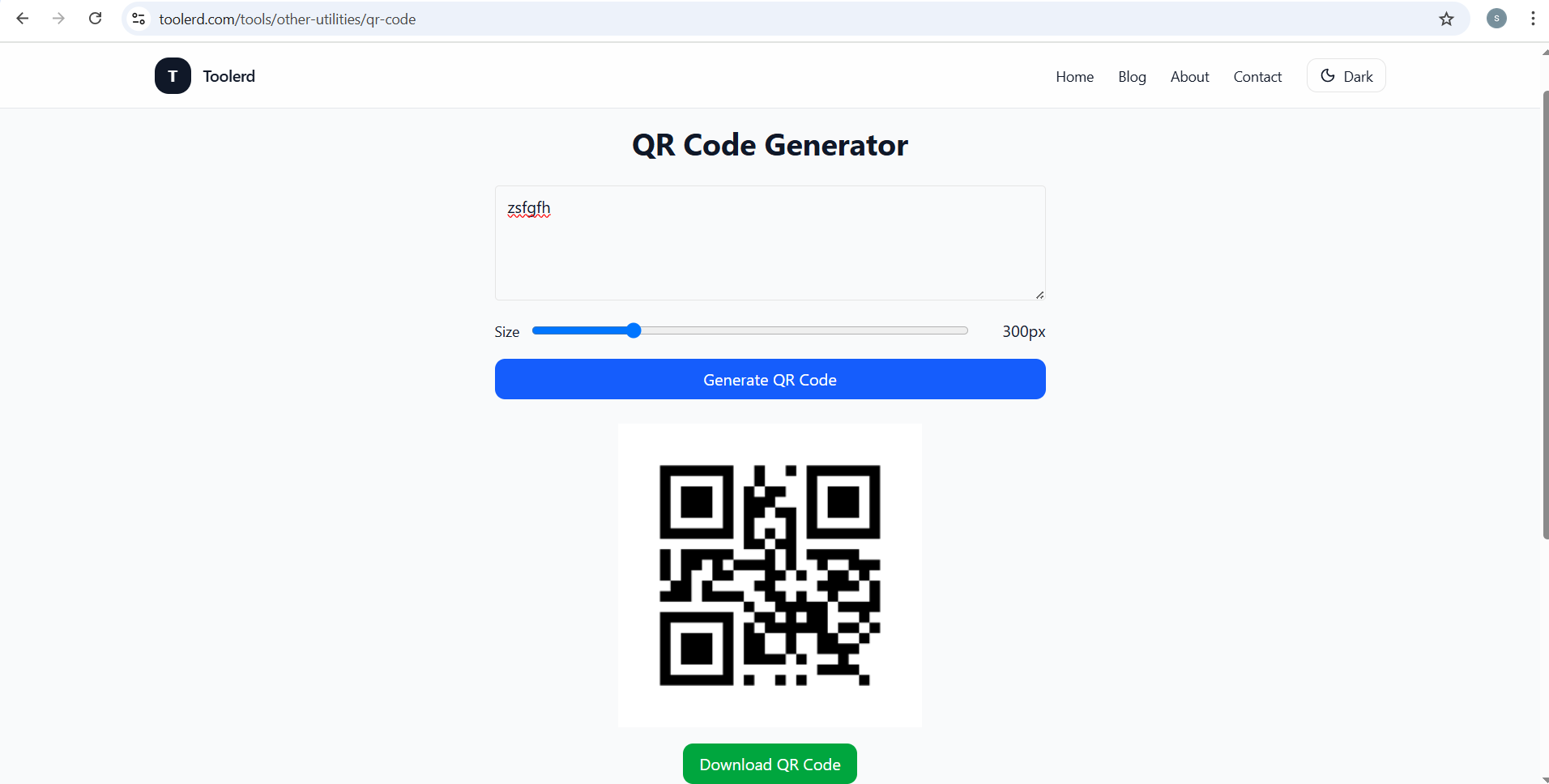
Step 3: Generate the QR Code
After entering your data, generate the QR code. A static QR code is created instantly and does not require future updates.
Step 4: Download and Use
Download the QR code image and use it in digital or printed materials such as flyers, cards, or websites.
Benefits of Using an Online QR Code Generator
Online QR code tools offer several advantages:
- No software installation required
- Works on desktop and mobile devices
- Quick generation process
- Suitable for personal and professional use
- Easy to save and reuse
These tools are helpful for users who need simple and reliable QR codes.
Best Practices for QR Codes
To ensure reliable scanning:
- Use high contrast colors
- Avoid overly complex designs
- Print at a readable size
- Test the QR code before distribution
- Use shorter URLs when possible
Following these practices improves scan accuracy across devices.
Frequently Asked Questions
Do permanent QR codes really never expire?
Static QR codes do not expire as long as the encoded content remains accessible.
Are free QR codes safe to use?
Most browser-based generators create QR codes locally without storing user data.
Can QR codes be used for business purposes?
Yes. QR codes are commonly used in marketing, packaging, and professional materials.
Conclusion
Creating a free QR code that doesn’t expire is simple when you use a static QR code generator and follow best practices. Permanent QR codes are ideal for long-term use and work well for both personal and professional projects.
To explore an online QR code generator, you can visit:
👉 https://www.toolerd.com/tools/other-utilities/qr-code
For users working with digital assets regularly, combining QR codes with other optimization tools can improve overall workflow efficiency.